Can I run DOOM: The Dark Ages?
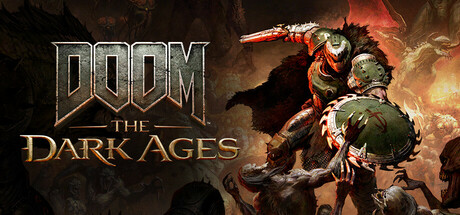
Enter your graphics card, processor and RAM to check them against the official DOOM: The Dark Ages PC system requirements.
How do I find my GPU, CPU and RAM?
On Windows press Ctrl + Shift + Esc to open Task Manager, then the Performance tab: CPU shows your processor, GPU shows your graphics card, and Memory shows your RAM. Or press Win + R, type dxdiag and press Enter.
DOOM: The Dark Ages PC system requirements
| Minimum | Recommended | |
|---|---|---|
| Processor | AMD Zen 2 or Intel 10th Generation CPU @3.2Ghz with 8 cores / 16 threads or better (examples: AMD Ryzen 7 3700 | AMD Zen 3 or Intel 12th Generation CPU @3.2Ghz with 8 cores / 16 threads or better (examples: AMD Ryzen 7 5700 |
| Graphics | NVIDIA or AMD hardware Raytracing-capable GPU with 8GB dedicated VRAM or better (examples: NVIDIA RTX 2060 SUP | NVIDIA or AMD hardware Raytracing-capable GPU with 10GB dedicated VRAM or better (examples: NVIDIA RTX 3080 or |
| Memory | 16 GB | 32 GB |
| Storage | 100 GB | 100 GB |
An SSD is listed in the requirements. Source: official Steam store page.
More games to check
 Counter-Strike 2
 Apex Legends
 PUBG: BATTLEGROUNDS
 Palworld
 Team Fortress 2
 Call of Duty
 New World: Aeternum
 Black Myth: Wukong
 Grand Theft Auto V Legacy
 Left 4 Dead 2
 Unturned
 War Thunder
 Monster Hunter Wilds
 HELLDIVERS 2
 Warframe
 ELDEN RING
 Terraria
 Path of Exile 2
 Baldur's Gate 3
 Brawlhalla
 Garry's Mod
 Destiny 2
 Tom Clancy's Rainbow Six Siege
 Rust
RustRequirements come from each game's official Steam store page. Hardware comparisons use approximate relative performance, so treat results as a guide; drivers, VRAM, storage speed and resolution matter too.