GTA 6's Weather Is Still Broken for Some PS5 Players — Here's the 2-Minute Cache Fix That Brings Back Rain
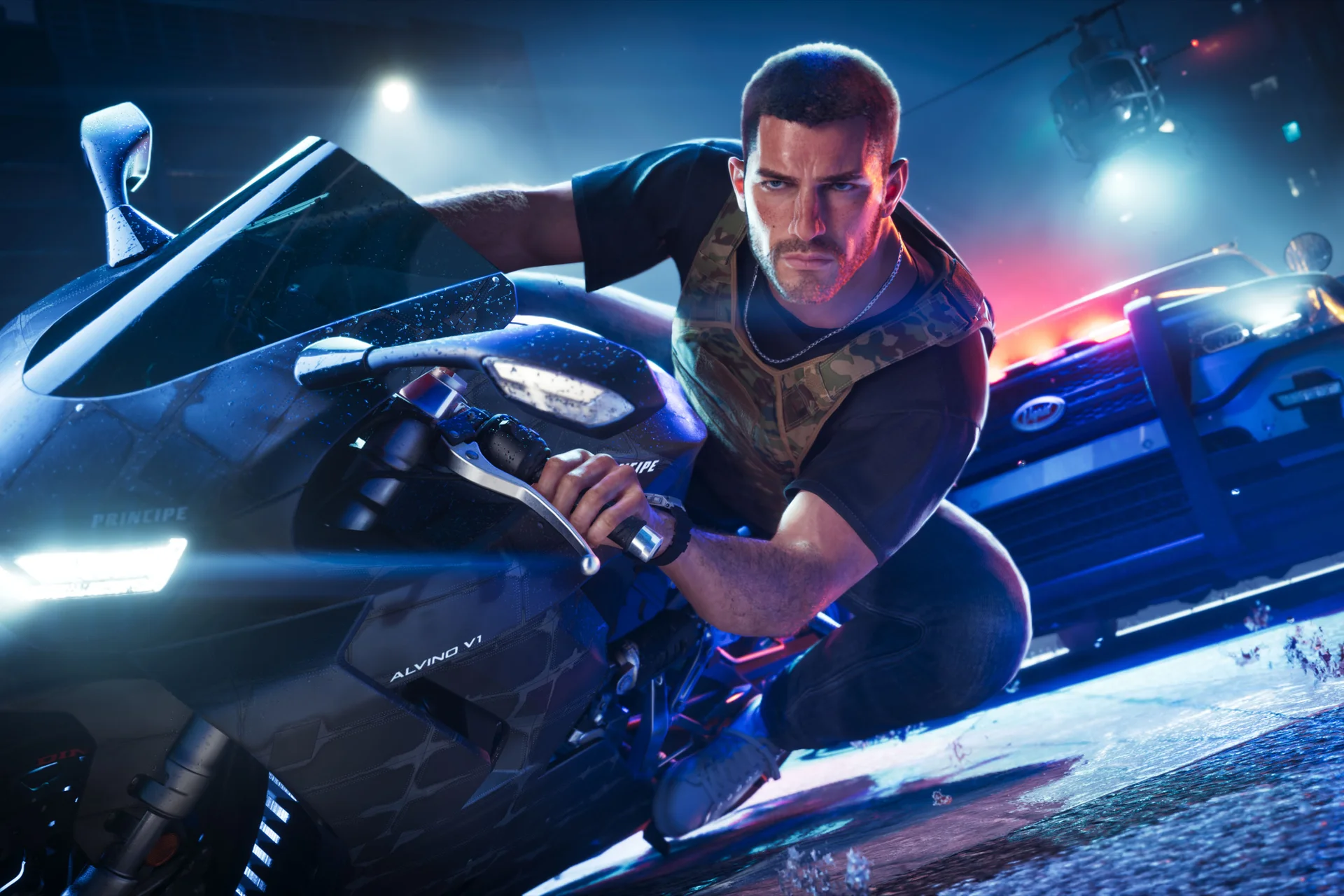
GTA 6 has one of the most detailed weather systems ever put in a game — Florida-style downpours, thunderstorms and even hurricanes — but for a lot of PS5 players, Leonida has been stuck on sunshine since launch. Rockstar's first patch was supposed to fix it, and for many players it did. But if your game still has not seen a drop of rain after dozens of hours, players have found a two-minute workaround that brings the storms back: clear your PS5's system cache.
The fix comes from the community, not Rockstar — the studio has not officially confirmed it — but enough players report it working that it is worth trying before you wait for the next patch. It does not delete your saves, your games or your progress. Here is what is going on, and exactly how to do it.
Quick summary
- GTA 6's dynamic weather was barely working at launch — many players saw only sun and clouds for dozens of hours.
- Rockstar's first patch, 1.002.002, aimed to fix the weather system so it changes at a more realistic pace, but some players still report no rain or storms.
- The community fix: clear your PS5 system cache — power off fully, boot into Safe Mode, choose "Clear System Software Cache". It takes about two minutes.
- It does not delete saves or games — only temporary system files are removed.
- Results are mixed — many players say storms appeared immediately after, others report no change, so it is a workaround, not a guaranteed fix.
- Xbox players have a similar trick: fully shut down, unplug for two minutes, plug back in.
- Hurricanes are a separate unlock — a side mission at a bunker north of Lake Leonida makes them appear randomly for the rest of your playthrough.
Why is GTA 6's weather stuck on sunshine?
GTA 6 was built with a dynamic weather system that mimics real Florida — sudden downpours, rolling thunderstorms and, later in the game, hurricanes. At launch, though, the system barely worked for many players. Some reported 50-plus hours of nothing but sun and light clouds, with no rain or storms at all.
Rockstar's first post-launch update, patch 1.002.002, released on November 23, included a fix meant to make the weather change at a more realistic cadence. Our first GTA 6 patch article has the full list of what it changed. For most players the patch helped, but a stubborn group still sees no weather at all — and that is where the community workaround comes in.
One thing to know before you try it: the early game is meant to be calm. The opening chapters keep the weather tame and sunny so you can soak up the tropical setting, and the weather only really kicks up from Chapter 3 onwards. If you are still early in the story, sunshine might be by design, not a bug.
How to fix the GTA 6 weather bug on PS5
The workaround was shared by GameRoll on X, crediting player @mauricioce85796, who reported a storm appearing immediately after loading their save — after 56 hours without any dramatic weather. Here are the steps:
1. Close GTA 6 completely and turn your PS5 off fully. Do not put it in Rest Mode — shut it down.
2. Press and hold the power button until you hear a second beep, about seven seconds. This boots the console into Safe Mode.
3. Connect your controller to the console with a USB cable and press the PS button.
4. Scroll down to "Clear Cache and Rebuild Database" — option 6 in Safe Mode.
5. Select "Clear System Software Cache" and let the console restart.
Once the PS5 restarts, launch GTA 6 and load your save. Do not expect a storm the second you load in — the weather is still dynamic, so you may need to play and explore Leonida for a while before the next front rolls through. But several players have reported rain and storms showing up where there were none before.
Clearing the system cache only removes temporary files. It does not delete your games, your saves, your screenshots or your account settings, so there is no risk to your progress.
What about Xbox Series X|S?
The same idea works on Xbox, with a slightly different method. Fully shut down your Xbox Series X|S, unplug the power cable from the console, leave it unplugged for two minutes, then plug it back in and turn it on. That clears the console's cache in the same way, and players have reported the same improvement in weather variety afterwards.
If neither method works for you, the honest answer is to wait for Rockstar's next update — the studio will almost certainly keep tuning the weather system until it works for everyone.
How to unlock hurricanes in GTA 6
Hurricanes are a different thing from the weather bug — they are a special weather type you unlock through a side mission, not something that just happens. To get them, head north to Lake Leonida in Leonard County and look for a trailer park near the lake. Just down the road is a large fenced-off area with a bunker in the middle, guarded by automated warnings, drones and landmines.
Fight your way in and you will meet the bunker's owner, who tells you to leave and come back later once he has upgraded his defences. Do some other activities, wait for his text, then return — jumping in from the nearby water tower is the easiest way — and he will let you inside. A hurricane rolls in outside while you talk, and from then on hurricanes can occur randomly for the rest of your playthrough.
What this means for you
If you are on PS5 and Leonida has been permanently sunny, the cache clear is a free, two-minute, zero-risk thing to try — and it has worked for a lot of players. Just remember the caveats: it is a community workaround, not an official fix, results are mixed, and early-chapter sunshine is intentional. If it does not work, make sure you are on patch 1.002.002 and past Chapter 3, then wait for Rockstar's next update. And if you are still tuning the game, our GTA 6 best settings guide for PS5 and Xbox covers the best setup for every console, and our GTA 6 crashing fix guide covers the CE-108255-1 error if you hit that too.
Frequently asked questions
Why is there no rain in my GTA 6?
GTA 6's dynamic weather system was barely working at launch for many players, and even after patch 1.002.002 some players still see no rain or storms. Clearing your PS5 system cache — Safe Mode, option 6, "Clear System Software Cache" — has fixed it for many players, though results are mixed and Rockstar has not officially confirmed the workaround.
Does clearing the PS5 cache delete my GTA 6 save?
No. Clearing the system cache only removes temporary system files. Your games, saves, screenshots and account settings are untouched, so your GTA 6 progress is safe.
How do I unlock hurricanes in GTA 6?
Complete the bunker side mission north of Lake Leonida. Find the fenced-off bunker near the trailer park, meet its owner, leave when he asks, then return when he texts you. A hurricane rolls in during the visit, and hurricanes then occur randomly for the rest of your playthrough.
Is the weather bug fixed in GTA 6 patch 1.002.002?
Partly. The patch, released November 23, was meant to make the weather change at a more realistic cadence, and it helped many players. But some still report no rain or storms after the patch, which is why the cache-clear workaround is circulating.
How much does GTA 6 cost in India?
GTA 6 costs ₹5,999 for the standard edition and ₹7,499 for the deluxe edition in India, on PS5 and Xbox Series X|S. There is no PC version yet.
Related articles
 MS Dhoni's Mahi Clutchers Enter Indian Es…
 PMGC 2026: Team SouL Fights for a Grand F…
 GTA 6 Just Handed PS5 a Rare Win Over Swi…
 GeForce NOW Adds 12 More Games and Cuts M…