Call of Duty: Black Ops 7 Best Settings for Low-End PC: Max FPS
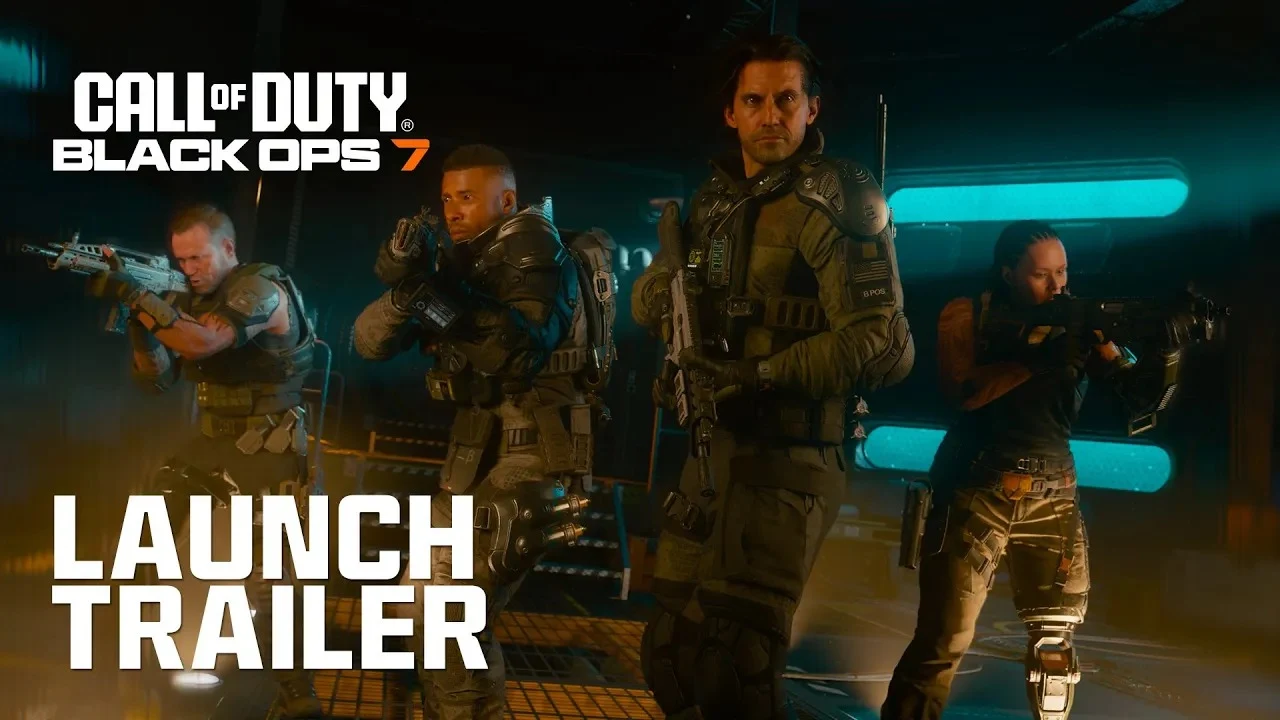
Black Ops 7 runs on the IW 9.0 engine, and it pushes hardware hard. The install alone is 161GB on an SSD, the minimum specs ask for 8GB of RAM, and the defaults favour looks over frames — so on a low-end PC, the game stutters exactly when you need it smoothest: in the middle of a gunfight. The fix is not a new GPU. It is an hour in the settings menu, and this guide walks through every option that matters, from the VRAM target that stops the stuttering to the upscaler that buys you 25% more frames for free. Black Ops 7 is out since November 2025 and costs ₹5,999 on Steam India.
Quick summary
- Black Ops 7 needs 8GB of RAM and a 161GB SSD install at minimum — a GTX 970 or RX 470 is the floor, an RTX 3060 or RX 6600 XT is the recommended card.
- Set the VRAM Scale Target to 70-80 (or 60-70 on a tight card). When VRAM fills up, the game swaps textures to slow system RAM and stutters — players call it packet burst.
- Turn ray tracing off and use DLSS or FSR in Quality mode — ray tracing costs up to 40% of your FPS for zero competitive benefit.
- Frame generation stays off for competitive play — it inflates the FPS counter but adds 20-30ms of input latency.
- Cap your FPS just below your monitor's refresh rate (141 on a 144Hz screen) and keep V-Sync off.
Can your PC run Black Ops 7?
| Part | Minimum (Steam) | Recommended (Steam) |
|---|---|---|
| OS | Windows 10 64-bit (latest update) | Windows 10 64-bit (latest update) |
| CPU | AMD Ryzen 5 1400 / Intel Core i5-6600 | AMD Ryzen 5 1600X / Intel Core i7-6700K |
| RAM | 8GB | 12GB |
| GPU | AMD Radeon RX 470 / NVIDIA GTX 970 | NVIDIA RTX 3060 / AMD RX 6600 XT |
| VRAM | 3-4GB | 8GB |
| Storage | 161GB SSD | 161GB SSD |
Two things matter here. First, the SSD is not optional — 161GB on a hard drive will stutter every time the game streams a new area. Second, the jump from 8GB to 16GB of VRAM is massive in this game: when VRAM fills up, the game swaps texture data to slow system RAM over PCIe, and that is the stutter most low-end players complain about. If you have an 8GB card like an RTX 3070 or 4060, strict VRAM management is the whole game.
The best display settings for a low-end PC
Open Settings, then Graphics, and work top to bottom.
| Setting | Low-end PC | What it costs you |
|---|---|---|
| Display Mode | Fullscreen Exclusive | Borderless adds input lag — never use it for competitive play |
| Refresh Rate | Highest your monitor supports | Match your monitor's native rate |
| Display Resolution | 1920x1080 | 1440p costs 30-40% FPS on a weak GPU |
| V-Sync (Gameplay) | Off | V-Sync adds massive input delay |
| V-Sync (Menus) | Off | Same — off everywhere |
| Custom Frame Rate Limit | Custom — cap just below refresh | 141 for 144Hz, 117 for 120Hz, 61 for 60Hz |
| NVIDIA Reflex Low Latency | On or On + Boost | None — it cuts latency for free |
| Render Resolution | 100 (drop to 80-90% if still struggling) | Lower render scale blurs the image |
| Dynamic Resolution | Off | Dynamic resolution makes aiming unpredictable |
| Upscaling / Sharpening | DLSS Quality / FSR Quality / XeSS | Free frames — 20-40% FPS boost |
| Frame Generation | Off | Adds 20-30ms input latency — off for competitive play |
| VRAM Scale Target | 70-80 (60-70 on a tight card) | Above 80 risks VRAM overflow stutter |
The best graphics quality settings for a low-end PC
This is where the frames are. Texture Resolution is the single biggest lever — it changes FPS by 15-25% on its own.
| Setting | Low-end PC | What it costs you |
|---|---|---|
| Texture Resolution | Low (Normal on 8GB+ VRAM) | Textures look plainer up close |
| Texture Filter Anisotropic | Low or Normal | Minimal FPS cost, keep it Low on weak cards |
| Depth of Field | Off | Blur you pay 5-8% FPS for |
| Detail Quality | Low | 8-12% FPS for background detail you never see in a fight |
| Particle Resolution | Very Low | 10-15% FPS — explosions look plainer |
| Bullet Impacts | Off | 1-2% FPS, cosmetic only |
| Persistent Effects | Off | Scorch marks and debris — off |
| Shader Quality | Low | 7-10% FPS |
| On-Demand Texture Streaming | Minimal | Stops background downloads that stutter mid-match |
| Local Texture Streaming Quality | Low | Less streaming, fewer hitches |
| Shadow Quality | Very Low or Low | Shadows are one of the most expensive settings |
| Screen Space Shadows | Off | No competitive benefit |
| Occlusion and Screen Space Lighting | Off | Cosmetic lighting — off |
| Screen Space Reflections | Off | Reflections cost frames, give nothing back |
| Static Reflection Quality | Off | Same — off |
| Terrain Quality | Very Low | Ground detail you never look at in a fight |
| Volumetric Quality | Low | Light shafts — pretty, expensive |
| Weather Grid Volumes | Off | Fog and weather effects — off on low-end |
| Water Quality | Off | Water is rare in most maps anyway |
| Ray Tracing Reflections | Off | Up to 40% FPS cost, zero competitive benefit |
View settings: FOV and motion blur
Field of view is a trade-off: a wider FOV shows more of the battlefield, but it renders more of the scene and costs a few frames. On a low-end PC, 100-105 is the right compromise — you keep the awareness without paying much. Competitive players run 105-120, but only if their hardware can hold the frames. Turn both motion blur settings off (World and Weapon), set Camera Movement to Least at 50%, and set ADS Field of View to Affected so your scope view stays consistent.
Windows and driver tweaks
Settings inside the game are most of it, but four things outside the game matter too. First, set Windows to the High performance power plan and turn on Game Mode. Second, disable the Xbox Game Bar — it costs frames in the background. Third, install the newest GPU driver; on AMD cards, the FSR Redstone ray regeneration features need the latest driver to work properly. Fourth, close your browser before you queue — Black Ops 7 wants 8GB of RAM at minimum, and a browser with ten tabs eats the headroom your game needs. Test one change at a time with the in-game FPS counter on, so you can see what each setting actually did.
If you play other shooters too, the same approach works everywhere: our CS2 best settings for low-end PC guide and our Valorant best settings for low-end PC guide use the same method, and our how to increase FPS in any game guide covers the Windows-side tweaks that help every game at once. And if you have been wondering why the player count looks different lately, our Call of Duty players fell 42% after the GTA 6 launch piece has the numbers.
Frequently asked questions
What are the best Black Ops 7 settings for a low-end PC?
Fullscreen Exclusive at 1080p, V-Sync off, NVIDIA Reflex on, render resolution 100 (80-90% if struggling), DLSS or FSR in Quality mode, VRAM Scale Target 70-80, Texture Resolution Low, shadows Very Low, screen space reflections off, ray tracing off, frame generation off, and FOV 100-105.
Can Black Ops 7 run on 8GB of RAM?
Yes — 8GB is the official minimum on Steam, alongside a Ryzen 5 1400 or i5-6600 and a GTX 970 or RX 470. It will run, but close background apps first, because 8GB leaves almost nothing spare, and set On-Demand Texture Streaming to Minimal.
Should I use DLSS or FSR in Black Ops 7?
Yes — upscaling is the best free FPS in the game, worth a 20-40% boost. NVIDIA cards should use DLSS in Quality mode (Balanced if still struggling), AMD cards should use FSR in Quality or Balanced. Keep frame generation off for competitive play.
Why does Black Ops 7 stutter on my PC?
Usually VRAM overflow. When the VRAM Scale Target is too high for your card, the game swaps texture data to slow system RAM and stutters — players call it packet burst. Drop the VRAM Scale Target to 60-70%, set Texture Resolution to Low, and set On-Demand Texture Streaming to Minimal.
How much does Black Ops 7 cost in India?
₹5,999 on Steam India for the standard edition. The install is 161GB and needs an SSD.
Related articles
 GTA 5 Best Settings for Low-End PC: Max F…
 BGMI Best Settings for Low-End Phones: Ho…
 Dota 2 Best Settings for Low-End PC: Max…
 Best Indie Games for Low-End PC: 10 Small…
Steam — Call of Duty: Black Ops 7
MitchCactus — Best BO7 Graphics Settings for High FPS & Low Latency
Beebom — Best Call of Duty Black Ops 7 PC Settings for High FPS, Low Lag
Hone.gg — How to Increase FPS in CoD Black Ops 7 – Boost FPS Quickly
DTGre — Best PC & Console Settings for Call of Duty: Black Ops 7 to Maximize FPS & Reduce Lag
Hero image: Activision.