GTA 5 Best Settings for Low-End PC: Max FPS in 2026
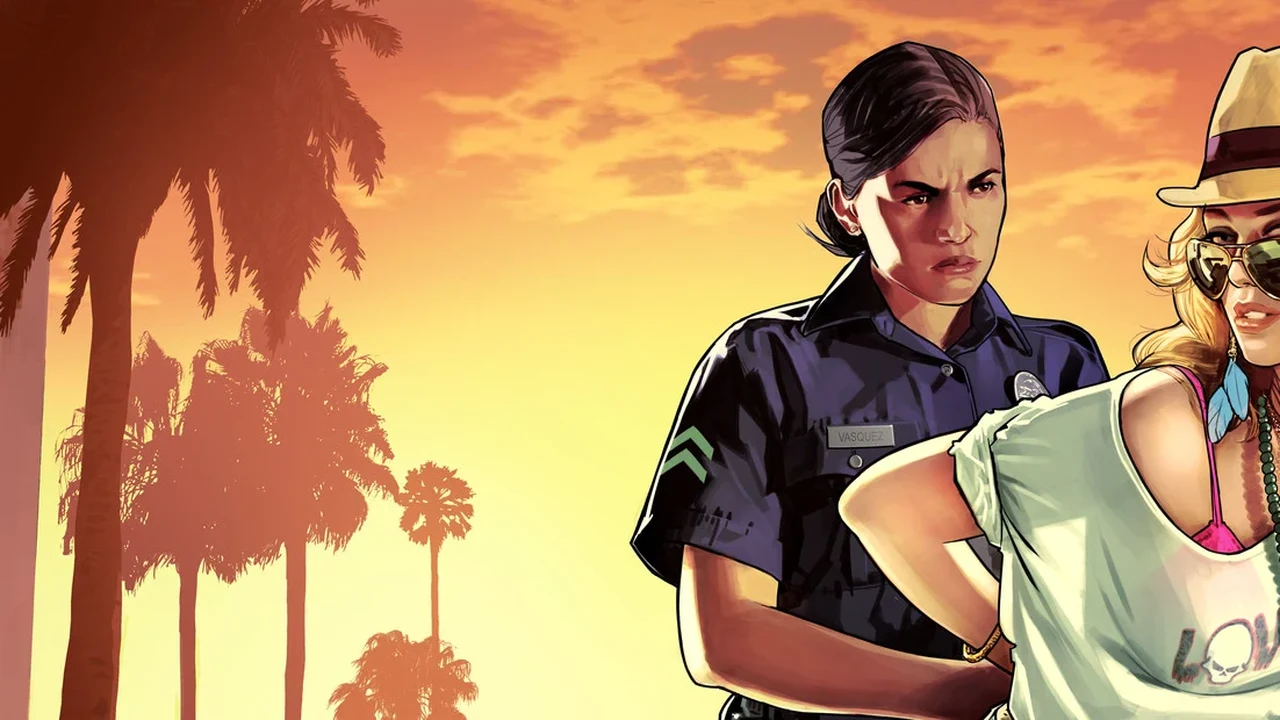
GTA 5 is more than a decade old and it still eats low-end PCs alive — not because the graphics are demanding, but because Los Santos is a living city. Traffic, pedestrians, draw distance and the world streamer all hit your CPU at once, and the settings that look harmless in the menu are the ones quietly costing you 20 FPS downtown. The good news: with the right settings, even a 4GB RAM machine with a 2GB graphics card can hold a smooth 60 FPS. This guide covers both versions of the game, because since March 2025 every PC copy includes GTA V Enhanced and GTA V Legacy — and picking the wrong one is the single biggest mistake you can make.
Quick summary
- Pick the right version first. Enhanced needs 8GB RAM and a GTX 1630 or better; on a 2GB card, an old quad-core or a hard drive, Legacy is the only version that will run well.
- MSAA off, FXAA on — MSAA is the single biggest FPS killer in GTA 5, costing 30-40% of your frames even at 2x.
- Extended Distance Scaling and Extended Shadows Distance to 0-25% — these two sliders are the biggest fix for city stutter, because GTA 5 is CPU-bound downtown.
- Grass Quality on Normal — Very High grass murders your frame rate in Blaine County for almost no visual gain.
- GTA V Enhanced is ₹1,649 on Steam India right now (56% off, down from ₹3,749) — but the sale price changes, so check before you buy.
Enhanced or Legacy: pick the one your PC can survive
Since March 2025, every PC copy of GTA 5 includes both versions. Enhanced brings ray-traced shadows, reflections, ambient occlusion and global illumination, NVIDIA DLSS and AMD FSR, DirectStorage loading and NVIDIA Reflex. Legacy is the original 2015 renderer. They do not share online sessions, so your crew has to play the same version as you.
| Part | Legacy minimum (Steam) | Enhanced minimum (Steam) |
|---|---|---|
| OS | Windows 10 64-bit | Windows 10 (latest update) |
| CPU | Intel Core 2 Quad Q6600 / AMD Phenom 9850 | Intel Core i7-4770 / AMD FX-9590 |
| RAM | 4GB | 8GB |
| GPU | NVIDIA 9800 GT 1GB / AMD HD 4870 1GB | NVIDIA GeForce GTX 1630 |
| Storage | 72GB | 105GB |
The honest answer: on a modern card with ray tracing off, Enhanced plus an upscaler usually wins, and it loads far faster thanks to DirectStorage. On a 2GB card, an old quad-core or a hard drive, Legacy is the only version that will not treat your PC like a hostage. If you are on Legacy, the recommended specs are an i5-3470 or FX-8350 with 8GB of RAM and a GTX 660 2GB — that is the machine this guide is written for.
The best graphics settings for a low-end PC
Set these in Settings, then Graphics. The order of sacrifice is MSAA first, then the two Extended sliders, then grass and shadows, and resolution last — dropping resolution makes the city blurry, so it is the last resort, not the first step.
| Setting | Low-end PC | What it costs you |
|---|---|---|
| Screen Type | Fullscreen | Windowed adds input lag and stutter |
| Resolution | Native (drop to 1280x720 or 1366x768 only if desperate) | Lower resolution blurs distant detail |
| DirectX Version | DirectX 11 (Legacy) | DirectX 10 is slower on modern drivers |
| FXAA | On | Nearly free — cleans up jagged edges |
| MSAA | Off | The biggest FPS killer in the game — 30-40% even at 2x |
| V-Sync | Off (cap FPS instead) | V-Sync adds input lag |
| Population Density | 0-50% | Fewer cars and pedestrians, much lighter CPU load |
| Population Variety | 0-50% | Same — less variety, less CPU work |
| Distance Scaling | 50-75% | Distant objects render at lower detail |
| Texture Quality | Normal (2GB VRAM) / High (4GB+) | Above Normal on a 2GB card causes lag spikes |
| Shader Quality | Normal | Cheap to keep, expensive to raise |
| Shadow Quality | Normal | One of the biggest single performance wins |
| Reflection Quality | Normal | Reflections are a quiet FPS drain |
| Reflection MSAA | Off | Absurd cost for slightly sharper reflections |
| Water Quality | Normal | Barely visible in most of the map |
| Particles Quality | Normal or Low | Explosions look plainer, frames stay stable |
| Grass Quality | Normal | Very High grass eats frames in the countryside |
| Soft Shadows | Sharp | Softer shadows cost more for little gain |
| Post FX | Normal | Higher adds blur you pay for |
| Anisotropic Filtering | Off or 2x | 16x is nearly free on modern cards, costly on old ones |
| Motion Blur | Off | Nobody asked for it |
| Ambient Occlusion | Off | Cosmetic shading — turn it off |
| Tessellation | Off | Costs frames, invisible at speed |
Advanced Graphics — where the city FPS actually goes
This is the tab most guides skip, and it is where your frames are hiding. GTA 5 is CPU-bound in the city: the bottleneck is world simulation on limited threads, not your GPU.
| Setting | Low-end PC | Why |
|---|---|---|
| Extended Distance Scaling | 0-25% | Renders far-off traffic and objects you rarely notice — heavy CPU cost |
| Extended Shadows Distance | 0-25% | Big cost, tiny visual payoff |
| High Detail Streaming While Flying | Off | Only matters if you fly a lot |
| Long Shadows | Off | Shadows are always expensive — this one doubly so |
| High Resolution Shadows | Off | For competitive and high-FPS play, keep it off |
Turning both Extended sliders down is the single biggest fix for stutter and low FPS in the city. If you change nothing else in this guide, change these two.
Enhanced-only settings (ray tracing, upscaling, Reflex)
If you are on Enhanced, three more settings matter. Enable Ray Tracing: Off on anything below an RTX 4070-class card — it is the single biggest FPS cost in the game. Frame Scaling: DLSS or FSR in Quality mode — this is free frames, and on Enhanced it is the best deal in the menu. NVIDIA Reflex: On — it cuts input lag, and it is mandatory if you ever turn frame generation on. If your GPU has at least 4GB of VRAM and you own an SSD, Enhanced is the right version; if it does not, go back to Legacy.
Cap your FPS and fix the Windows side
Leave V-Sync off and cap your frame rate instead, so the game stays inside your monitor's range: 141 FPS for a 144Hz screen, 117 for 120Hz, 59 for a 60Hz screen. Install GTA 5 on an SSD — the engine streams the world constantly, and a hard drive is a leading cause of texture pop-in and hitching. Set Windows to the High performance power plan, turn on Game Mode, close your browser before you play, and update your GPU drivers. If you set GTA5.exe to High priority in Task Manager, the game gets CPU time ahead of background apps — useful on a 4-core machine.
If you play GTA 6 on console too, our GTA 6 best settings for PS5 and Xbox guide covers that side, and our GTA 6 vs GTA 5 biggest differences piece explains what changed between the two games. For the Windows tweaks that help every game at once, see our how to increase FPS in any game guide, and if your machine is really old, our best games for 4GB RAM PC list has games that will run on it.
Frequently asked questions
What are the best GTA 5 settings for a low-end PC?
Fullscreen, native resolution (720p only if desperate), FXAA on, MSAA off, V-Sync off, Population Density and Variety at 0-50%, Distance Scaling 50-75%, textures Normal on 2GB VRAM, shadows Normal, grass Normal, and both Extended sliders at 0-25%. On Enhanced, keep ray tracing off and use DLSS or FSR in Quality mode.
Should I play GTA V Enhanced or Legacy on a low-end PC?
Enhanced if your GPU has at least 4GB of VRAM, you have 8GB of RAM and an SSD — it loads faster and the upscaler buys you free frames. Legacy if you have a 2GB card, an old quad-core CPU or a hard drive — Enhanced's minimum specs are genuinely higher and it will stutter on that hardware.
Why does GTA 5 lag in the city but not in the countryside?
GTA 5 is CPU-bound downtown: traffic, pedestrians and the world streamer all hit your processor at once. The fix is the two Extended sliders and the Population settings, not the texture quality — your GPU is rarely the bottleneck in the city.
How much does GTA 5 cost in India?
GTA V Enhanced is ₹1,649 on Steam India right now, 56% off the ₹3,749 list price during the Black Friday sale. The price changes with sales, so check the store page before buying.
Can GTA 5 run on 4GB of RAM?
Yes — 4GB is the official Legacy minimum, with a Core 2 Quad Q6600 and a 9800 GT 1GB. It will run, but keep textures on Normal, close background apps, and play the Legacy version, not Enhanced, which needs 8GB.
Related articles
 Call of Duty: Black Ops 7 Best Settings f…
 BGMI Best Settings for Low-End Phones: Ho…
 Dota 2 Best Settings for Low-End PC: Max…
 Best Indie Games for Low-End PC: 10 Small…
Steam — Grand Theft Auto V Enhanced
Steam — Grand Theft Auto V Legacy
Tier1Settings — Best GTA 5 & GTA Online Settings for FPS and Smooth Frames
Worst Guides Ever — GTA 5 FPS Boost: Best PC Settings 2026
TheTechBoy — How to Fix Lag in GTA V on a Low End PC (2026 Easy Guide)
TweakTown — How to hit 144 FPS in GTA 5 without a flagship GPU
Hero image: Rockstar Games.